
Designing Conference Rooms That Work for Today’s Offices
Posted by ET Group on June 5, 2023
Key Points:
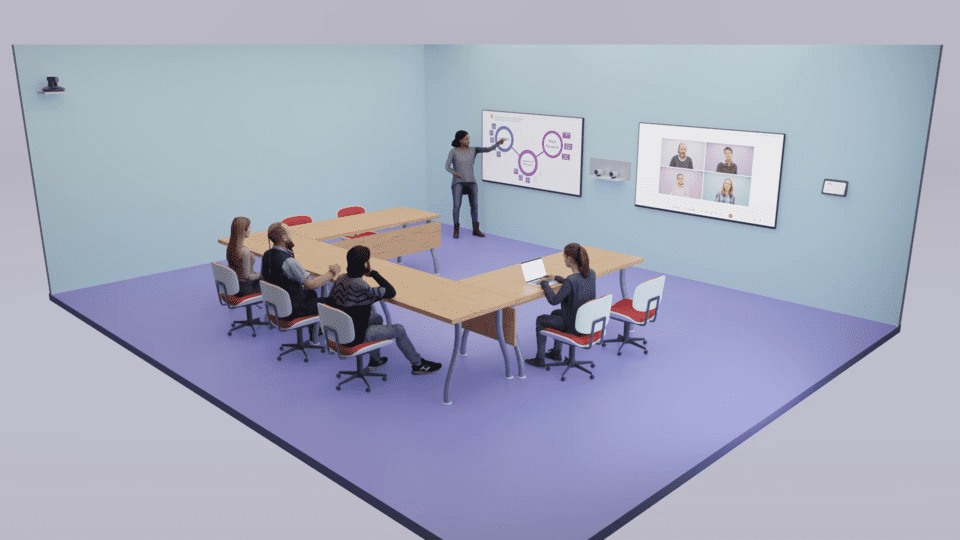
- The shift to remote and hybrid work models requires a redesign of conference rooms, blending technological and human-centric considerations to facilitate effective communication and collaboration.
- Conference rooms are evolving from traditional spaces into technologically advanced, interactive environments due to the digitalization of workplaces, supported by tools like high-quality video conferencing systems, smart connectivity, and integrated communication systems.
- Soft features in successful hybrid conference room design include a focus on human needs, flexibility, equality in participation, support systems, and long-term planning. Training workshops also help teams adapt to the new hybrid working methods.
- Technological reliability, intuitiveness, and continuous connectivity are crucial for team success in hybrid conference rooms. This should be supplemented with design thinking and creation of self-managed teams to effectively leverage hybrid workspaces.
- Future-proofing conference rooms involves considering advancements in AI and VR, and ensuring scalability for team growth. Custom solutions like HybridX can address these considerations and evolve with your organization’s needs.
Conference rooms are where your organization’s big ideas happen; when they’re designed right, they provide fertile ground for the strategizing and analyzing that drive you towards your goals. But with today’s widespread pivot to remote and hybrid work, many conference rooms need to be rethought—from the technology that’s included to the way space itself is used.
Redesigning your conference room to keep it efficient might sound like a big task, but don’t worry; our team at ET Group is here to help. We’ve spent years developing efficient custom hybrid and remote workspaces, and we’re here to share some of the principles that have helped our clients enjoy better connectivity, productivity, and success. Read on to see what we recommend.
How Conference Rooms Have Evolved in Recent Years
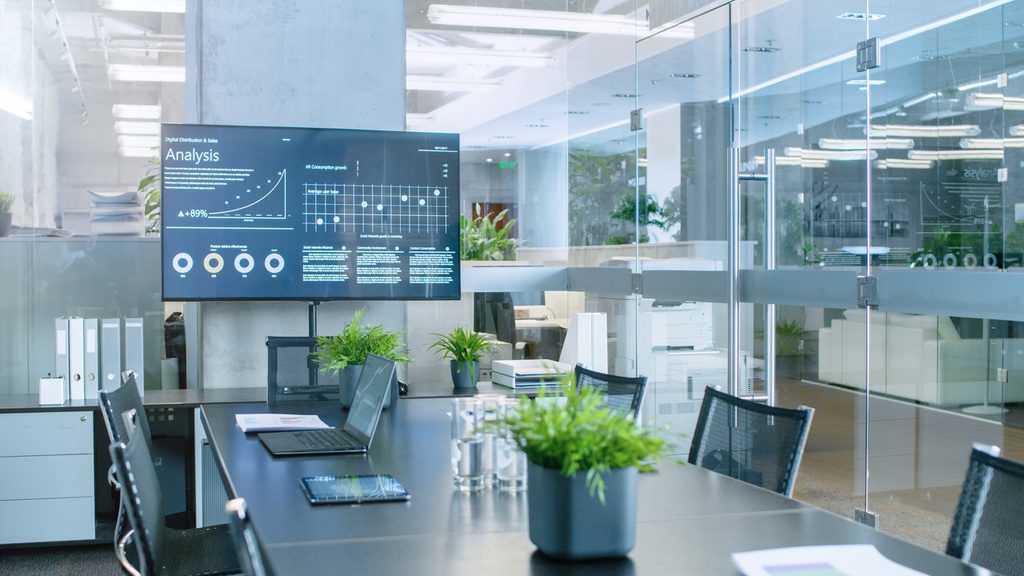
The conference room, a staple in offices for decades, has undergone a remarkable evolution over the past decade or so. Once a traditional boardroom filled with a large table, a whiteboard, and a clunky conference phone in the middle, these rooms are now technologically advanced, connected spaces designed to effectively support an increasing number of team members who perform some or all of their duties from other locations.
 Via Adobe Stock.

As workplaces have become increasingly digital, conference rooms have followed suit—evolving into interactive, versatile, and inclusive environments. This shift has been driven by a range of innovative technologies, from interactive displays and immersive audio systems to seamless collaboration tools and advanced connectivity.
Via Adobe Stock.

What Conference Rooms Need to Stay Productive in the Hybrid Era
Redesigning a conference room to make it more effective for today’s unique landscape requires a deft balance of technological and philosophical considerations. Here’s a list of what we prioritize when designing conference rooms for our clients using our HybridX solution, which uses cutting-edge audiovisual technology to support people and their needs.
Technology Features:
- High-Quality Video Conferencing Systems: These are crucial for connecting remote and in-person attendees seamlessly.
- Collaboration Software: Tools for screen-sharing, co-editing documents, and facilitating interactive discussions can significantly enhance the effectiveness of meetings.
- Integrated Communication Systems: Systems that allow for smooth transitions between different applications, ensuring no information gets lost in the process.
- Smart Connectivity: Devices and platforms that are interconnected and intuitive, making them easy for anyone to use, regardless of their technical proficiency.
Soft Features:
- Human-Centric Design: Spaces designed with the human experience in mind, making them comfortable, inviting, and conducive to creativity.
- Flexible Spaces: Environments that cater to your organization’s unique workflow needs—like quiet spots for focused work and dynamic areas for team collaboration.
- Equality in Design: The design should enable equal participation from all team members, regardless of their location.
- Support System: Easy access to tech help, real-time insights into team needs, and a human-first approach to resolving technical or communication challenges.
- Workshops and Training: Help teams make the most out of your new conference room’s advanced features by educating them about new meeting practices and effective methods for hybrid work.
- Long-term Planning: Always design with a plan in mind for the future of your conference room. This includes considering the growth of your team and the evolution of your technology.
How New Technology Sets Your Conference Rooms Up for Success
When redesigning any space to accommodate new technology and the needs that come with it, the key is to offer tools that are intuitive, reliable, and always connected. These systems allow teams to work where, when, and how is best for them, regardless of geographical boundaries. It’s about leaving “complicated” in the past and empowering teams to connect seamlessly.

Via Adobe Stock.
Embracing Paradigm Shifts to Support New Design Choices
To make the most of these advanced spaces, teams need to understand and master the potential of hybrid work. This includes embracing new meeting practices, creating self-managed teams, and utilizing design thinking to bring the hybrid experience to life.
We provide detailed education on how to make these adjustments via our consultations and workshops. Through these engaging learning experiences, your team can navigate the hybrid learning curve, introduce effective methods, and boost your productivity, no matter where they are.
Looking into the Future of Hybrid & Remote Conference Rooms
Today, the technologies required for truly dynamic and flexible conference spaces range from reliable video conferencing systems and collaboration software to smart, connected devices that can “talk” to each other. It’s also crucial to have a user-focused support system that offers real-time help and insights into technology usage and needs.
In the future, it’s highly likely that Artificial Intelligence (AI) and Virtual Reality (VR) may play larger roles in conference rooms as the differential in the capabilities of physical spaces and digital ones continues to shrink. Imagine smart conference rooms that can automatically adjust settings according to the meeting agenda or VR meetings that can simulate in-person interactions for remote participants.
Frequently Asked Questions about Designing Hybrid & Remote Conference Rooms
What are the challenges of managing meetings with both in-person and remote participants?
Balancing the needs of in-person and remote participants can be tricky. The primary challenges when creating a conference room that accomplishes this goal are:
- Ensuring equal participation
- Preventing technical glitches
- Fostering an authentic sense of connection
By seamlessly integrating high-quality video conferencing and smart connectivity tools, our HybridX solutions effectively address these issues. Book a consultation with our team to find out how we can design a unique space to support your team’s needs.
How do hybrid conference rooms improve team collaboration?
A well-designed hybrid conference room can significantly enhance team collaboration by offering:
- Seamless collaboration tools for co-editing and interactive discussions
- High-quality video conferencing systems that create a sense of being in the same room
- Equality in design to allow for equal participation regardless of location
What role does a support system play in a hybrid conference room?
Comprehensive support plays a vital role in keeping the hybrid conference room experience smooth and efficient. It offers quick technical assistance, real-time insights into team needs, and human-focused support. The HybridX solution provides lifetime support driven by user success, ensuring that your team always has the resources they need to make the most of their space and the technology it relies on.
What strategies can help teams adapt to hybrid conference rooms?
To maximize the benefits of hybrid conference rooms, it’s crucial to:
- Offer workshops and training on new meeting practices and effective hybrid work methods
- Embrace design thinking to keep your space up to date with the evolving needs of hybrid work
- Develop self-managed teams equipped to work independently in any location
What considerations should we make for future-proofing our conference rooms?
Future-proofing involves anticipating technological advancements and team growth. Consider the potential roles of AI and VR, and ensure your conference room is scalable for team expansion.
HybridX, as a forward-thinking solution, is designed to evolve with your needs. When your space needs new capabilities, we’ll be there to help you develop them. See HybridX in action here.
Stay connected with us:
Follow ET Group on LinkedIn
Follow us on Twitter
Subscribe to ET Group’s YouTube Channel