
What Is One-Touch Join & Why Is It Vital for Hybrid Meetings?
What Is One-Touch Join (& Why Is It Vital for Hybrid Meetings)?
Summary:
- One-Touch Join (OTJ) bridges the gap between meeting room hardware and meetings hosted on different platforms. It reduces friction for users by automatically translating information from different meeting invites into a format your device can understand.
- OTJ has distinct benefits for on-site teams who rely on dedicated meeting hardware. For remote workers, the benefit is indirect: it’s easier for on-site team members to contact them on their preferred platform.
- The core benefit of OTJ is a more consistent user experience. It also reduces friction and lowers the number of steps required to join a meeting.
- OTJ empowers teams to say “yes” to join requests without worrying about technical hurdles or incompatibilities. This can help lower the risk of missed opportunities.
- OTJ works by integrating with your calendar service and email. It automatically parses invites for data, translates it, and tells your meeting device how to connect—and when to display the “join” button.
One-touch join (OTJ) is a type of meeting room technology that acts like a bridge between meeting platforms and your dedicated video conferencing hardware. It streamlines the meeting process by automating key steps in the background—like pulling meeting details from email or calendar invites and reformatting them for your meeting room devices.
OTJ parses this information in real time and looks for details about upcoming meetings. Then, it translates the data it finds into a format your video conferencing equipment and software can understand—even if it doesn’t have native support for the hosting platform. This reduces friction, letting users roll from one meeting to the next in a single click.

Who is One Touch Join For?
OTJ is designed for organizations that use dedicated meeting room hardware to join meetings hosted on multiple platforms. It reduces the technical hurdles and compatibility challenges associated with platform-specific hardware, including older SIP devices.
Because organizations rely on their meeting tech to build client relationships, collaborate with hybrid teams, or close deals, it’s important to make joining meetings as frictionless as possible. This is the most important use of OTJ: it gives people who use your meeting room hardware the power to join meetings easily, no matter where they’re hosted.
Does Your Workplace Need OTJ?
Workarounds to OTJ do exist, but they preclude you from using the meeting room hardware in which you’ve invested, and they tend to create unnecessary headaches that impact meeting quality. For example, you could move to a different meeting room device, switch to a laptop, or join from your smartphone. Most consumer tech can join meetings quite easily, regardless of what hosting platform they use.
But “workarounds” like this introduce delays and interruptions that make it harder for people to connect and stay engaged. If you’ve ever struggled to navigate a complicated presentation from your phone, you know what these challenges look like. OTJ ensures that you can use your meeting room system as easily as clicking “Join” and getting down to business.
Is One Touch Join Hybrid-Compatible?
Absolutely—although it’s typically on-site teams who reap the benefits. Modern computers, laptops, and smartphones already handle platform switching pretty seamlessly, so OTJ has less of an impact on the meeting experience for remote workers.
But OTJ does allow off-site team members and clients to send you invites using their preferred meeting platforms. If someone sends you a last-minute 911 invite on Zoom, you can walk up to your Microsoft Teams Room (MTR) device, tap join, and seamlessly connect. This can make doing business a lot easier—for people at your workplace and outside of it.
Platforms with One-Touch Join Functionality
With the exception of a few older legacy devices, most major meeting hardware and software products support OTJ. The concept and technology behind it is fairly consistent across all brands, but each vendor markets it under a slightly different name.
-
- Cisco: One Button to Push (OBTP)
- Pexip: One Touch Join
- Microsoft Teams: Join Now
- Zoom: One-Touch Join
- Google Meet: Join with a Click
- HP Poly: One Touch Dial
Other common names for one-touch join that people often use in passing include single-tap join, one-click join, and one button to push. In essence, these are general terms for the same concept.
The Benefits of One-Touch Join
The underlying technologies and options available with one-touch join might seem complex, but the beauty of this functionality actually lies in its front-facing simplicity. The biggest benefits come from automated actions behind the scenes that require no manual input.
Here’s what OTJ can do for you:
-
- Stabilize user experience. OTJ ensures a consistent meeting experience for all users, no matter who is using the system or how a meeting is hosted. Joining an MTR session feels exactly the same as joining a meeting on any other platform.
- Reduce friction. When OTJ is in place, teams spend less time on technological pain points and the actual process of scheduling or joining a meeting. That means they have more time to spend on collaboration—and innovation.
- Reduce the number of steps to join. Whether someone is joining a meeting on your internally-hosted meeting tech or an externally-hosted platform your system doesn’t natively support, it’s still just one click to join.
- Preserve more channels of communication. Organizations have control over what meeting platforms they use internally—but what if an external contact wants to meet in a different way? OTJ makes it possible to say “yes” without hesitation.
OTJ can also help to some extent with future-proofing your workplace. Recall that during the pandemic, companies had to scramble to find ways to support people working from home. Teams adapted to using Zoom, Microsoft Teams, and Google Meet and working remotely.
Now, with companies pushing for a return to the office, many workers who come back are struggling to adapt to legacy meeting hardware that can create compatibility issues during meetings. OTJ helps reduce these pain points and makes the adjustment easier for everyone involved.
Related: 3 Ways Unified Communications and Collaboration (UCC) Elevate the Meeting Experience
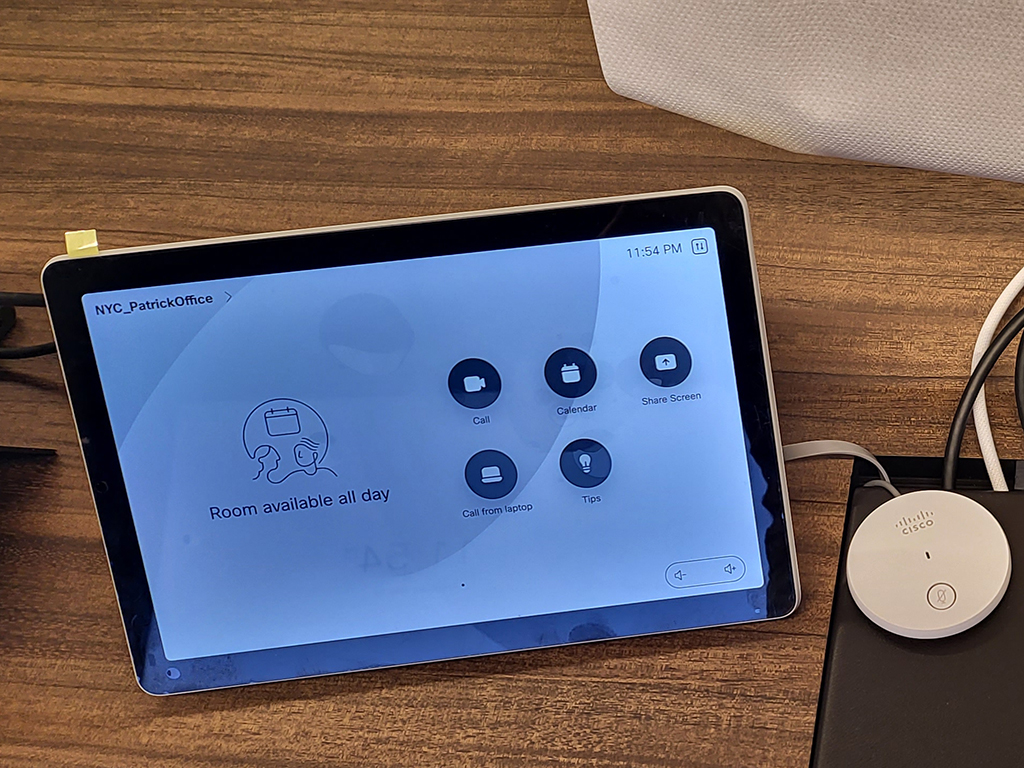
Use Case Examples
Real-world examples make it easier to understand how OTJ works and when it’s most likely to benefit an organization. Here, we’ll present three potential use cases and explain how the functionality helped solve—or prevent—a problem.
Cross-Platform Compatibility
- Use Case: A global consulting firm is about to present their final pitch to a client. Everything is ready—until they learn the client is dialing in from a platform their MTR hardware doesn’t natively support.
- Solution: With OTJ, this problem no longer exists. The software pulls meeting data from the invite, translates it, and forwards it to the firm’s MTR device in a way it understands. The marketing team can proceed as intended and focus on closing the deal.
Remote Hiring Flexibility
- Use Case: An HR team working at a corporate office schedules an interview with a software developer who works for an agency in Germany. The developer prefers Google Meet, but the company only has access to MTR devices on-site.
- Solution: When OTJ is properly configured, the HR team can connect in a single click from their existing equipment—instead of worrying about where the meeting takes place.
Global Training Sessions
- Use Case: A company needs to walk their accountant through their new billing and invoicing system. The company uses Cisco Room appliances that support SIP or H.323, but don’t have native support for outside platforms. Meanwhile, the accountant’s company uses Zoom.
- Solution: OTJ automatically detects the Zoom meeting request when it comes in and parses it for information like times, dates, and addresses. It forwards the data to their Cisco Room appliance so they can connect to Zoom in a single click.
How Does OTJ Work?
Behind every seamless meeting experience stands an advanced system of integrated technologies and processes that the average user never sees. And that’s the goal with OTJ—the more invisibly your meeting tech operates, the more natural it feels to use.
Here’s what’s happening behind the scenes with OTJ:
- OTJ seamlessly integrates with Google Calendar, Microsoft Exchange, and other similar calendar services.
- The software continuously monitors your calendar and email account for meeting invites, parsing them for known indicators like invite links and SIP addresses.
- Someone schedules an externally-hosted meeting from the calendar. The service sets up the meeting and embeds all relevant info into the invite.
- The OTJ software detects an externally-hosted meeting invite and automatically parses it for coordinates and other important information.
- OTJ extracts the information and translates the connection info so your meeting device can understand it.
- The OTJ forwards the data to your meeting room hardware, which signals it to prepare for a meeting and show the “join” button at the right time.
- When it’s time for your meeting, you walk up to the device and press “join.”
That’s it! There’s no need to worry about where the meeting is taking place, what you need to do to connect to it, or if your hardware is compatible. All you have to worry about is clicking the button to jump in.
Is OTJ Compatible With All Platforms?
OTJ’s core purpose is to provide a seamless meeting experience across all platforms, but compatibility, on a more specific level, depends on your configuration. In some circumstances, you may need to buy a license to connect to Teams, Zoom, or Google Meet.
If you’re interested in deploying a more universal OTJ experience, book a discovery call with one of our experts. We can help walk you through your options and find a path forward that fits.
Is OTJ Secure?
Modern OTJ apps meet or exceed most major security and data protection standards. While these apps do interface with your calendar, email, and existing meeting tech, they won’t introduce significant new vulnerabilities, and the protocols you already have in place won’t be affected.
In fact, OTJ can actually help keep calendars and email data private. The software is designed to only deal with data that directly relates to the meeting itself.
Related: Making Hybrid Happen: Six Principles for Technology Integration

Why Reducing Friction Is Critical for Hybrid Workplaces
Meeting room technology is only effective if it meets the needs of the people who use it. User experience is not a “bonus”—it should be one of your core guiding principles when upgrading your AV technology to reflect the realities of modern work.
Features like OTJ support unified communications (UC) by acting as a bridge between various meeting platforms and hardware systems, enhancing interoperability, and simplifying the user experience. This makes it easier for your team members to join meetings with your video conferencing systems and participate productively, while also ensuring better ROI for your technology investments.
Related: What Is Interoperability & Why Is It Essential for Effective Hybrid Workplaces?
Make OTJ Work for Your Hybrid Meetings with ET Group
OTJ removes traditional barriers that stand in the way of intuitive communication and collaboration. The ability to jump into a call with a single click from your meeting tech is incredibly helpful, especially if you’re working with hybrid-teams across multiple platforms.
At ET Group, we specialize in helping organizations design and deploy meeting systems that prioritize human-centric connection. Your meeting tech should let you meet with people how and where they work without creating new obstacles for users to overcome.
If you’re ready to help your people do more with the time they have, contact ET Group today and schedule a consultation. We want to be part of your success story.
Frequently Asked Questions about One-Touch Join
Is one-tap join compatible with multiple meeting platforms?
In most cases, yes—but the specifics depend on your system, configuration, and licenses. Some platforms, like Microsoft Teams Rooms (MTR), offer built-in compatibility with other branded platforms (in this case, Microsoft). For others, you may need a special license that allows external platforms to accept information from your OTJ software.
If your organization needs a high level of interoperability across many systems, the best strategy is to work with specialists who can help you create a custom meeting room solution for your business. ET Group can help you achieve unified communications and collaboration by accounting for your organization’s unique needs.
How secure is one-touch join?
One-touch join functionality is powerful, but it’s just one element within your meeting room’s broader technology ecosystem. Your approach to cybersecurity should be comprehensive—not just focused on your OTJ software.
ET Group can help your organization design and deploy custom hybrid solutions that deliver superior user experience without creating security or compliance vulnerabilities. Schedule a discovery call with one of our experts to learn how we can help your teams work smarter and more safely.
What do I need to implement one-touch join in my organization?
Implementing OTJ is easy with our help. If you already have a meeting system, we can help configure your existing devices to bring this feature online. If you’re in the early stages of planning a hybrid-compatible meeting space, we can also show you how to integrate OTJ with your future tech stack.
Choosing the right platform and technology isn’t easy, especially if you’re embarking on this adventure for the very first time. It’s easy to get excited by bells and whistles that don’t actually provide any real value to your hybrid teams.
Custom AV design can help you lower costs typically associated with the testing and iteration phase. From workspace visualization to implementation, we have the experience and skill to help you move forward and roll out your system with confidence.
Book a discovery call with our team today and find out how we can help make hybrid work for you.
Stay connected with us:
Follow ET Group on LinkedIn
Subscribe to ET Group’s YouTube Channel
AV and VR Room Design: How to Plan Your Conference Room Design
AV and VR Room Design: How to Plan Your Conference Room Design
Summary:
- Hybrid work options give employees and companies the power to work flexibly from anywhere. To thrive in this environment, teams need access to human-centered meeting spaces that meet them where they are and how they work.
- 2D, 3D, and VR design renderings can help businesses explore ideas without paying for prototypes. Iterating becomes faster and more effective, lowering the risk of costly mistakes or poor user experiences.
- Room layout, equipment placement, workflows, existing tech, and individual needs play a big role in hybrid meeting space efficiency. Custom AV design can help make the most of the design process with more opportunities for customization and fewer mistakes.
- Designing your meeting space is the first step. Close monitoring after spaces are in place will help you adjust and fine-tune user experiences.
Most companies understand the critical need for hybrid meeting spaces but lack the expertise to design these environments successfully. Virtual room design offers a more immersive way to conceptualize and fine-tune spaces with AV equipment before fully investing in them.
ET Group’s comprehensive AV design services give you the power to plan your room design more efficiently from day one. From CAD drawings that serve as the foundation for your next project to custom audiovisual engineering, we can help you create a state-of-the-art AV system that maximizes reliability and performance without sacrificing your core needs.
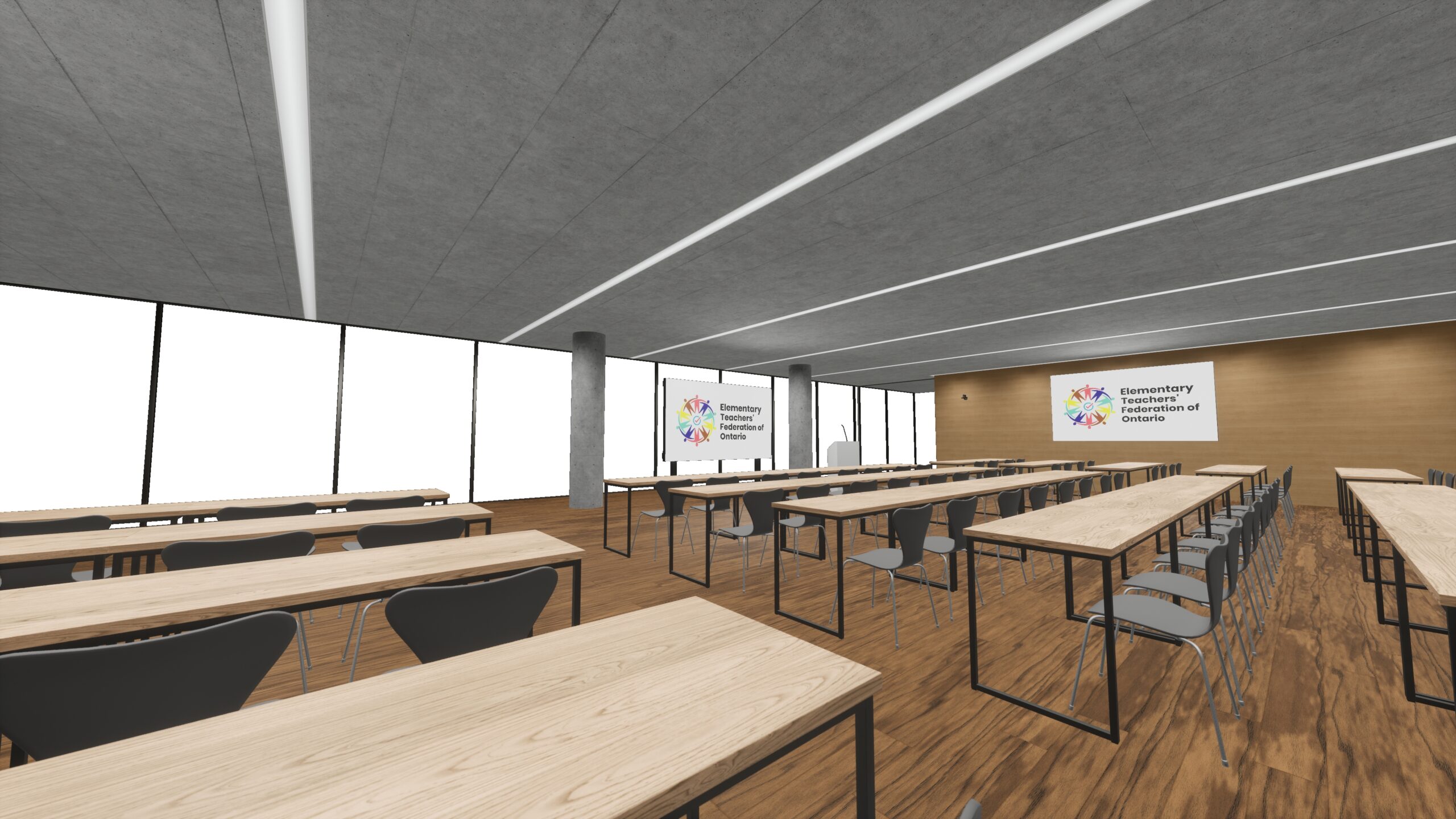
Benefits of Virtual Room Design
Virtual room design is ideal for organizations who need optimized hybrid meeting spaces, but don’t have designers on staff. Being able to see (or even explore) the room as a sketch, 2D/3D model, or virtual reality experience lets you experiment with configurations and see how it would feel to use and experience them first-hand.
The ability to iterate on an idea or explore options virtually makes the AV design process much more affordable and customizable, too. There’s no need to invest a significant amount of money in a setup just to test it out—you can put that off until you’re sure you have the right solution.
Saving Money on Innovation
Custom audiovisual solutions and room designs are almost always a wise investment for hybrid teams, but decision-makers need to feel confident that they’re guaranteed some kind of positive return-on-investment (ROI) before they sign off. Designing in VR helps lower spending on exploration, testing, and iteration, but cuts the risk for costly mistakes along the way, too.
Here’s how:
- Iterate With More Input: When team members and stakeholders can freely experiment with AV layouts and configurations, it leads to an end result that better serve everyone’s needs. Even end users can participate, if desired.
- Only Pay for Rollout Once: VR design is much ore cost-effective than rolling out a new workspace only to realize it doesn’t work. This lessens the chance of having to go back to the drawing board multiple times.
- Scale Designs Infinitely: Virtual design makes it easy to adjust layouts as you change or grow without the need to start fresh. Whenever you’re ready, just as us to take another look.
- Put Less Pressure on Your People: Faster iteration reduces the need for human resources, meaning they have more time to focus on what matters. It can also get teams working in higher-efficiency spaces in less time, cutting back on waste.
Fewer expenditures makes it easier to hit ROI targets from day one.
Customizing Until It’s Right
ET Group designs with user experience at the core. Every new client relationship starts with a thorough exploration of needs. We talk to stakeholders, identify surface challenges, map out workflows, and outline use cases that help define desired user experiences.
Only after this step is complete do we move forward into conceptualization and VR design. Having access to so much useful information from day one has many benefits:
- Rooms Meet People Where They Are: Tailor room configurations to suit specific room layouts, like huddles spaces, Microsoft Teams rooms, or large boardrooms. Or, create a multi-use AV room where everyone can thrive.
- Technology Integrations Flow Seamlessly: Choose and incorporate audiovisual equipment that integrates with your existing systems, workflows, and communication needs as well as platforms, like Zoom,Webex, or Microsoft Teams.
- Designs are Agile and Scalable: Modify designs as you change and grow to reflect changes in team size or meeting formats. Or, tweak as you go in response to data about how people use the room and what they want to see.
Virtual design is all about making the most of the space you have in ways that remember the individual humans at the heart of your organization. Properly designed meeting spaces help people collaborate more efficiently and create more comfortable, human-centered experience.
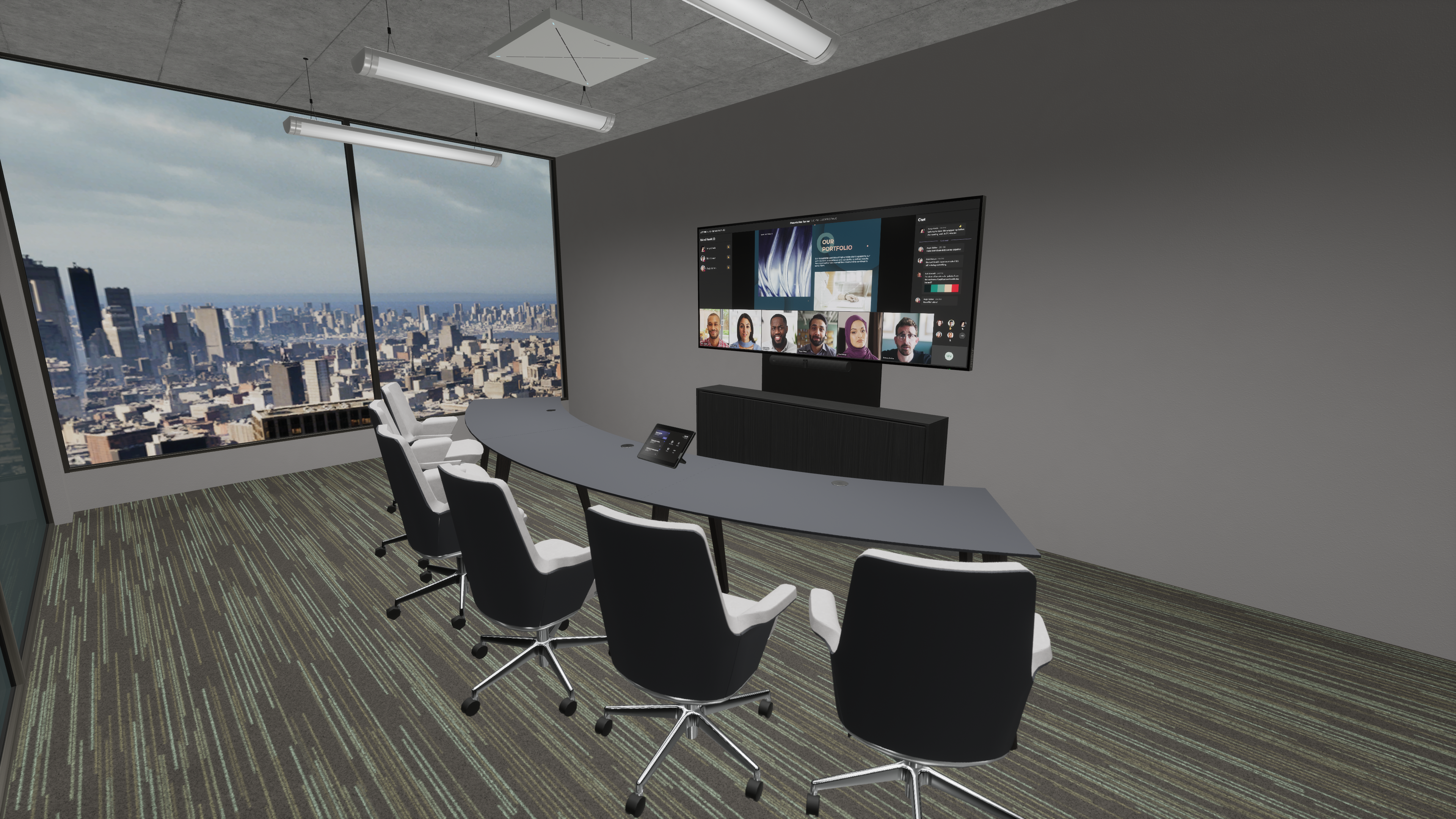
Creating Efficient Hybrid Workspaces With Custom AV Design
For maximum productivity, hybrid meeting spaces should be intuitive and comfortable for all users. The right AV tech can help you achieve this goal—but only when you design with workflows and human-centric needs in mind.
At ET Group, we believe that technology is meant to serve people, not the other way around. Rooms with overcomplicated, poorly integrated, or just plain unnecessary meeting technology can actually lower efficiency and cause frustration, complaints, or missed opportunities.
That’s where custom AV design services come in.
From aligning our certified technology design team with your goals to creating detailed design packages, we’re dedicated to helping you bring your vision to life. If you’re curious about what that process might look like for your organization, here’s a quick look at our workflow.
Step 1: Understand & Align Users
Different stakeholders bring diverse needs and expectations to a hybrid work environment. In this step, we’re looking for challenges, use cases, and workflows that help define the desired user experience—what to include and what to avoid.
- Develop a Stakeholder Map: We start by identifying key stakeholders and their specific needs. What motivated them to develop the space in the first place, and what is the ideal end goal?
- Conduct Document Review: Next, we analyze existing systems and documents. We’re looking for info that can tell us how your hybrid teams work and what helps them collaborate most effectively.
- Interviews and Observation: We gather insights through person-to-person interviews and direct observation. Who will use the space, and what features are they looking for?
- Conduct Technology Analysis: In this step, we evaluate any existing or in-place technologies: are they relevant? Are teams benefiting from the existing AV tech, or is it outdated, lackluster, or challenging to use?
Step 2: Conceptual Design & Prototypes
At this stage, our design team usually has enough info to start fleshing out prototypes or preliminary models. These help everyone involved preview potential solutions, visualize the space, and get a feel for how it flows.
-
- Build Key Use Cases and User Stories: We build key use cases and user stories, then adjust to find what teams need to thrive.
- Build Prototypes: We create prototypes to help visualize the space and the AV system, which helps to identify potential solutions.
- Match Technology to Key Priorities: Our team compares known priorities to technology solutions to find the best fit. This step is all about alignment.
- Validate with Stakeholders: Stakeholders provide feedback on conceptual designs and prototypes. We use this to further tweak and adjust the design to better meet your needs.
Step 3: Test & Iterate Designs
In this step, we continue to gather feedback from stakeholders, but use it to test and iterate potential designs. This essential step helps keep everyone aligned, but also makes room for innovation and changes along the way.
-
- Test Prototypes and Gather Feedback: We continue to evaluate prototypes and collect feedback from users. Does the system meet the expectations and goals set out during the initial discovery process?
- Refine Conceptual Design: Our design team adjusts the design based on data obtained through testing. We use this to incorporate possible improvements.
- Reflect on Original Priorities: We revisit original priorities once more, reviewing the current design closely. Does it still meet the right goals? If not, adjust designs as needed.
- Conduct Usability Testing: Perform hands-on usability tests with end-users to ensure the solutions meet practical needs and expectations.
Step 4: Detailed Design Packages
The last step in the process involves transforming the AV design into a comprehensive blueprint for success. This means creating detailed plans, material lists, construction drawings, and implementation instructions that leave nothing to chance.
- Develop Detailed Design: Our certified design team develops a final draft of the design, including all related assets: floor plans, AV systems, material lists, and specifications.
- Host a Stakeholder Alignment Meeting: We meet with you to discuss the proposed solution and evaluate whether we’re still aligned on priorities. Are there any changes needed, or can we move forward from here?
- Refine Budget Estimate: We refine the budget estimate so you have a better idea of how much it will cost to make your vision a reality. Estimates are based on detailed designs, making them more accurate for implementation.
- Present Final Design to Key Stakeholders: We take the final design in front of key stakeholders to get their feedback and approval. If necessary, we can iterate further until we have the design just right.
Want to know more about how we can help you create efficient hybrid meeting spaces? Let’s talk about it! Book a discovery call with one of our workplace technology specialists for closer look behind the curtain.
Related: How to Make Technology Buying & Investment More Effective
Enhancing User Experience
A custom AV design is just the beginning. Hybrid meeting spaces need to be flexible enough to support different forms of interaction, including one-on-one meetings, huddles, formal presentations, and casual hangouts. Comfort, furniture placement, lighting, andlayout flexibility can make spaces feel more engaging and inclusive while improving overall user experience.
- Comfort: Lighting, furniture, microphones, and speakers should be comfortable to use.
- Collaboration: Teams should be able to share, edit, and contribute simultaneously.
- Acoustics: End users should hear each other clearly, whether on-site or remote.
- Visuals: Screens should be large enough to see from anywhere in the room.
- Interoperability: Teams should be able to connect to outside systems with ease.
- Flexibility: Can end users make adjustments to furniture or equipment on the fly?
Thoughtfully chosen modular furniture does more than just save space—it empowers your team to create and adapt their work environment to their needs. While flexible furniture can present unique challenges for AV integration, this shouldn’t hold you back. We can help you design an AV system that’s as flexible as every element in the room.
Related: The Flex Space
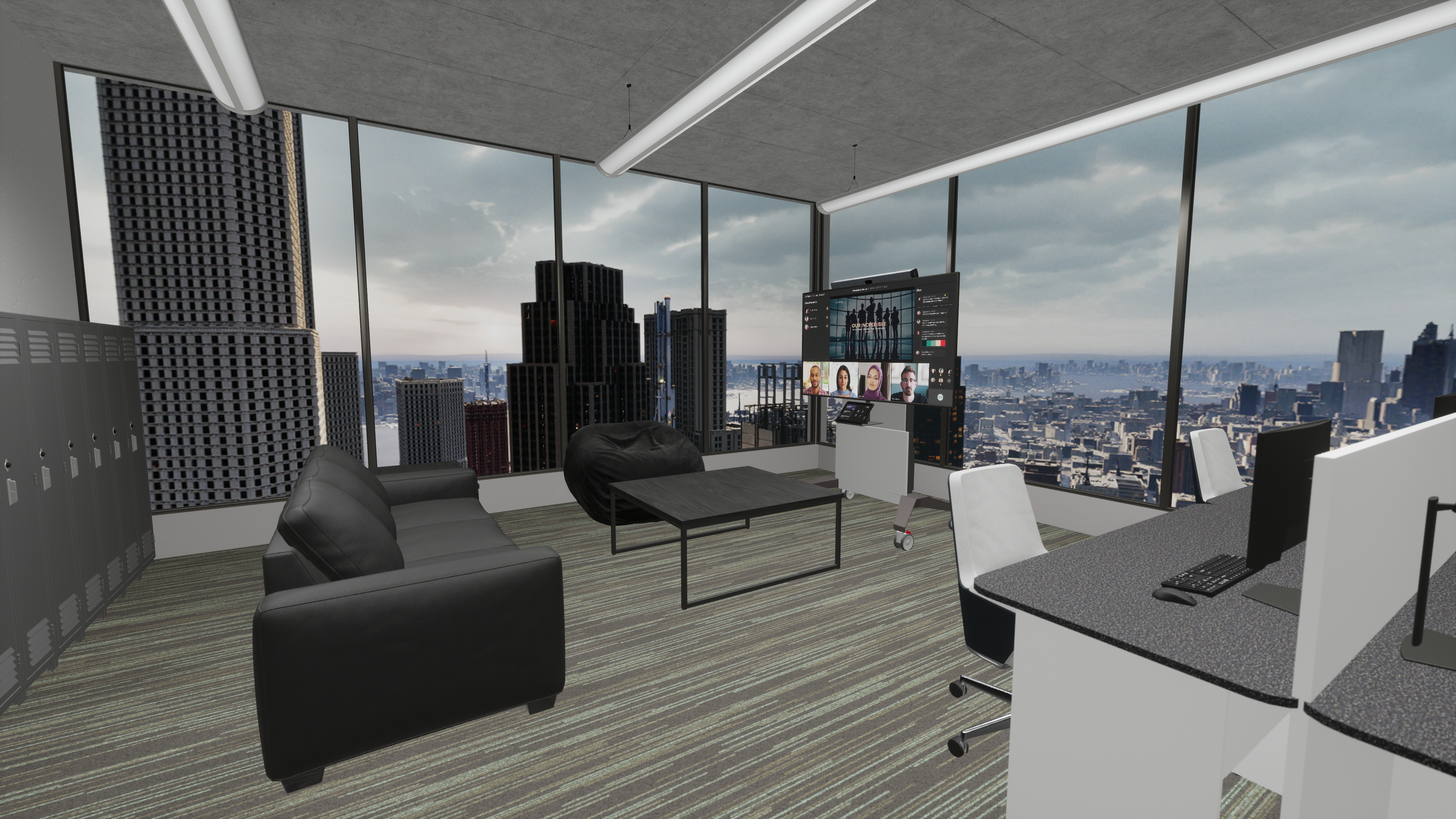
Future Trends in Hybrid Work
As support for hybrid work environments continues to grow, interoperability and scalability will become even more important. Meeting space designs should not only account for current needs, but also be flexible and adaptable enough to make room for future changes.
Emerging technologies like AI, virtual reality, and augmented reality are already revolutionizing the world of hybrid work. Automating formerly manual tasks, like note-taking or speaker tracking, frees people up to focus on what truly matters: innovation and growth.
Related: How Audio Visual Consulting Provides Key Support for Hybrid Environments
Unlock the true potential of hybrid work for your teams with virtual design services from ET Group. Find out how you can transform ordinary meeting spaces into flexible, scalable collaborative hubs with a free Discovery Call today.
Frequently Asked Questions about Virtual Room Design
How can virtual room design reduce costs?
Virtualizing the design process can help organizations spot potential pitfalls and avoid potential mistakes. It’s also an excellent option for companies who are still in the discovery process or aren’t familiar with meeting tech and collaboration platforms.
While design services aren’t free, the price tag is often a fraction of what an organization would pay to implement and thoroughly test new meeting spaces on their own. Being able to finalize a solution before moving forward also lowers the need for costly revisions and do-overs.
Can I revisit room designs in the future?
Yes! Designs are typically stored as a digital file for easier review and revision in the future. Project leaders and stakeholders can access these files at any stage, and designers will retain a copy of them even after the project concludes.
Virtual room design makes it easy to update wireframes, flow charts, and 3D renderings to reflect emerging technology, workflows, or spatial requirements. The original design serves as an excellent foundation, making the process more affordable and efficient.
Are hybrid work environments right for our business?
Research shows that employees overwhelmingly prefer flexible working arrangements. Recent studies showed that up to 90% felt they were more productive when working remotely. Around 71% showed strong support for hybrid workplaces to become the standard, rather than the exception to the rule. Conversely, around 50% expressed a desire for improvements in virtual tech or felt that current offerings were lacking in some way.
The takeaway? Hybrid work environments are overwhelmingly desirable, but work best when designed with equipment and technology that helps people thrive.
Can virtual room design account for industry compliance needs?
Yes. Starting with a virtual design is an excellent way to ensure hybrid meeting spaces adhere to any necessary compliance requirements from day one. The software we use is fully cross-compatible with industry-standard Computer Aided Design (CAD) software, making it easier to design AV setups for:
- Accessibility Standards (AODA, CSA B651)
- Health and Safety Codes (OHSA)
- Data Privacy (PIPEDA, PHIPA)
- Building Codes and Fire Safety (NBC, NFC)
ET Group has over 45 years of experience working with clients in heavily restricted industries, including healthcare, government, and finance. We will work closely with you during the design process to ensure your hybrid meeting space doesn’t raise your risk for violations.
Book a discovery call with our team today and find out how we can help make hybrid work for you.
Stay connected with us:
Follow ET Group on LinkedIn
Subscribe to ET Group’s YouTube Channel
The Top Conference Room AV Solutions for 2025
The Top Conference Room AV Solutions for 2025
Summary:
- Advancements in the audiovisual space are making conference rooms smarter, more interactive, and more accessible. Trends like AI, 8k displays, advanced cameras, microphones, and sound systems are more user-friendly than ever before.
- AI-powered features built into Cisco’s Board Pro G2 and Crestron’s Automated VX make tasks like automation, camera tracking, collaboration easier for hybrid teams. They also provide real-time feedback to help you optimize rooms.
- New 5K ultra-HD displays, like Jupiter’s Pana series and Sharp’s NEC M-Series, make conferences more exciting and alive by preserving details so participants feel more present.
- Microphones, cameras, and speakers are pushing to deliver cleaner, clearer video and audio feeds so that presentations feel more professional and impactful. This helps teams get the right message across without distractions.
- Support for hybrid work is expected to keep growing over the next 12 months. The ability to connect to conference room tech from anywhere is now a standard feature that helps remote workers feel more included.
Imagine walking into a conference room that instantly springs to life and adapts to your individual needs—a uniquely designed space customized to your business and workflows. AI seamlessly automates tasks like note-taking, data-collection, and real-time captions behind the scenes without the need for constant oversight.
To join or host a meeting, all you have to do is click a button. You can control the system with voice commands or hand gestures, and ultra-HD displays make conferencing calls feel as if you’re standing right next to the other person.
These innovations are already here. From advancements in audiovisual hardware to AI-powered features that automate tedious but important tasks, conference room tech is evolving in a big way. In this guide, we’ll tell you about the cutting-edge solutions that can help you stay ahead of the curve.

Audiovisual Trends for Better Communication in 2025
Advancements in AV tech over the past few years are changing how, when, and where people work. It’s easier than ever for teams to collaborate, communicate, and work together from any location around the globe.
From AI integrations to ultra-sharp 8K displays, one-click join buttons, and touchless operation features, conference rooms are becoming more user-friendly and engaging than ever before. Here are the trends that will make hybrid work environments even better in 2025.
AI Integration
AI is a gamechanger for workplaces and meeting spaces. In 2025, we’re expecting to see an explosion in AI-powered systems that work quietly in the background to automate mundane but important tasks. Options like these will eventually become standard:
- Real-time Transcription and Translation Tools can instantly transcribe meetings as they happen or translate conversations across multiple languages, breaking down language barriers. Participants, including the speaker, stay focused on the message.
- Intelligent Camera Tracking automates the process of tracking movement and switching focus when speakers change. This makes it easier for participants to follow the flow of conversation or understand what’s happening during presentations.
- Automated Meeting Summaries ensure no important detail slips through the cracks after a conference ends. Some new platforms can also interpret and highlight key points, like names, tasks, or goals, in real-time.
- Touchless Controls: AI-powered meeting technology allows hosts and participants to interact with conference room equipment from anywhere. Gesture controls and voice commands let people manage presentations, adjust settings, and use tools hands-free.
With AI helping behind the scenes, teams can focus on what matters: connecting, collaborating, and getting the right information to the people who need it most.
New-to-Market Displays
This is a great year to up your audiovisual game with new-to-market displays that make every detail on the screen feel alive and present. From video walls to conferencing screens and touchscreen interfaces, screens are becoming more immersive, user-friendly, and intuitive.
Display Trends
- 8K displays take image quality to the next level with nearly four times the pixel density of 4k for unparalleled clarity. Video feeds come through with exceptional depth and realism that keeps participants engaged and focused.
- Higher-resolution screens make remote call participants appear more lifelike on the screen, preserving the face-to-face dynamic even when working remotely. It’s easier to detect shifts in expression or body language.
- Increased pixel densities make shared documents, designs, and data charts pop and are easier to see, even from across large rooms. Teams can collaborate more effectively without needing to pause or ask for clarification.
- 8K resolution prevents the kind of image degradation associated with scaling issues on large-format displays. Visuals stay razor-sharp without appearing blurry or distorted.
We’re also seeing more 4k and 8k displays that come with touchscreen and multi-touch compatibility built in right out of the box. Teams can use features like these to collaborate on a virtual whiteboard, brainstorm ideas, plan marketing campaigns, or show clients the content they need to see before moving forward on an important deal.
Best In Displays: Jupiter’s Pana 21:9 LCDs
Jupiter’s Pana 21:9 5K visual form factor LCDs are a prime example of how displays can be better tailored for easier communication and collaboration without sacrificing beautiful views. First developed in 2020, the ultra-wide design and and exceptional image clarity makes this line a perfect fit for modern boardrooms and hybrid work environments.
The Pana line is available in five distinct models.
| Model | Features |
| Pana 105 |
|
| Pana 81 |
|
| Pana X |
|
| Pana 34 |
|
Product Spotlight: Sharp’s NEC (M series)
Sharp’s NEC M-Series displays were already pretty forward-thinking, but now, the company is taking the whole design concept to a new level. The new NEC MultiSync® M751 and NEC MultiSync® M861 have been reworked with meeting spaces in mind.
The first obvious change is that Sharp’s NEC displays have grown in size, but they’re also getting smarter, too. Features like secure remote control via NaviSet Administrator 2 and more flexible options for integration with AV infrastructure provide future-proofing.
| Model | Features |
| NEC MultiSync® M751 |
|
| NEC MultiSync® M861 |
|
Key Features to Look for in 2025
The top solutions for 2025 don’t just provide a high-quality audiovisual experience. They’re also compatible with cutting-edge features designed to streamline teamwork, communication, and collaboration in hybrid spaces.
- Interactivity: Look for large-format 8k displays that can be integrated with or linked to existing collaboration tools for a seamless experience. Team members should be able to annotate, edit, or share documents in real-time without needing to switch screens.
- Interoperability: Single-interface systems make it easier to host video conferences, share files, and send messages. Look for meeting tech that seamlessly integrates with existing platforms like Microsoft Teams, Zoom, or WebEx. Learn more about why interoperability matters in hybrid spaces.
- Cloud-Based Collaboration: Cloud integration ensures real-time updates to shared documents, designs, and data, regardless of where people dial in from. That’s a critical feature for hybrid teams that need immediate access to the latest information.
- Wireless Participation: Participants should be able to instantly share screens from within the conference room or from their laptops and mobile devices. Look for systems that have Bluetooth, Wi-Fi, and remote connection capabilities built-in.
- Augmented Reality (AR) and Virtual Reality (VR): Collaboration tools with built-in AR or VR can turn meeting spaces into immersive 3D showrooms. These technologies let businesses create 3D environments like product walkthroughs or virtual events.
Although features like these do make conference rooms more fun and engaging to use, they’re more than just fancy bells and whistles. These tools play a crucial role in streamlining the collaboration process, especially for hybrid teams.
Best In Interoperability Solutions
Adaptability in video conferencing and meeting solutions will become more important than ever in 2025. Pexip Connect and Synergy Sky are first out of the gate with new features that prioritize the growing need for reliable, integrated, and secure meeting tech.
Product Spotlight: Pexip
Pexip Connect’s ability to integrate seamlessly with multiple video conferencing platforms like Microsoft Teams, Zoom, and Google Meet is unparalleled. Yet, it’s also completely device agnostic, meaning that participants can connected to the system securely from anywhere.
| Integration | Microsoft Teams, Zoom, Google Meet |
| Device Support | Any device or room system |
| Security | End-to-end encryption, private cloud deployment |
| Analytics | Not specified |
| Special Features | No extra hardware required |
Product Spotlight: Synergy Sky
Synergy SKY is a video conferencing platform that takes the idea of everyday meetings and collaboration sessions to the next level. Features go beyond just reliable video streaming—SKY can also optimize room usage, simplify scheduling, and provide metrics to help you monitor how people use your meeting spaces.
| Integration | Microsoft Teams, Webex, Zoom |
| Device Support | Multiple video conferencing systems |
| Security | Hybrid collaboration with device management |
| Analytics | Provides detailed room performance and meeting metrics |
| Special Features | Streamlined scheduling and room usage optimization |
Best In Interactive Meeting Boards
Interactive meeting boards are evolving to make it easier for teams to work more effectively, whether in-person or remote. These advanced tools integrate video conferencing, touch screen interactivity, and seamless platform compatibility all into one neat little package.
Product Spotlight: Microsoft Surface Hub 3
The Surface Hub 3 is an all-in-one solution from Microsoft that was originally designed to integrate with Microsoft Teams. Available in two sizes, this tidy little tool serves as a collaborative canvas and comes with flexible, modular accessories, including pens and Microsoft’s Surface Hub Smart Camera.
| Screen Sizes | 50”, 85” |
| Collaboration Tools | Microsoft Whiteboard, Microsoft Teams, OneNote integration |
| Operating System | Windows 11 Team Edition |
| Touch Support | Supports multi-touch and pen input |
| Special Features |
|
Product Spotlight: Cisco Board Pro G2
The Cisco Board Pro G2 is an integrated video device and collaboration board that’s available in two sizes, 55″ and 75″. It’s designed specifically with hybrid meeting environments in mind. AI-enhanced cinematic views make details feel alive and present—and help participants stay focused, too. This is a great option if you want multiple camera views and easy interoperability.
| Screen Sizes | 55”, 75” |
| Camera Views | Frames, People Focus, Adaptive Speaker, Optimized Group |
| Collaboration Tools | Webex Whiteboard, Webex Meetings, content sharing |
| Integration Options | External PTZ camera, existing AV infrastructure |
| Touch Support | Multi-touch, stylus-enabled |
| Operating System | Webex OS |
| Chipset | NVIDIA® AI |
| Mounting Options | Floor, Wall, Wheels |
| Additional Features |
|
Best in Control Panels: Cisco Room Navigator
Cisco Room Navigator stands out for 2025 thanks to its inherent ability to streamline the meeting experience, right from initial scheduling to room optimization. Features like LED lights built into wall-mounted touch panels signal real-time workspace availability, but also make these devices ideal for wayfinding and digital signage.
| Screen Size | 10” touchscreen with multicolor 360° LED |
| POE Enabled? | Yes |
| Resolution | 1920×1200 |
| Operating System | CISCO RoomOS |
| Cloud Management | Unified admin, device management, analytics, and workspace insights via Control Hub |
| Interoperability | Native or third-party integration via Cisco’s APIs |

Must-Have Hardware
Your conference room hardware plays an important role in overall user experience. Old or outdated hardware can prevent you from fully leveraging advanced technologies like HD screens and AI. Here’s what’s most important to keep up to date.
Microphones
Generally speaking, ceiling-mounted omnidirectional microphones with speaker tracking are best for large spaces. Table-mounted boundary microphones may be a better choice for small conference rooms and events with multiple speakers.
In terms of specifications, look for:
-
- Frequency Response: 20 Hz to 20 kHz is best for capturing voices.
- Signal-to-Noise Ratio (SNR): > 70 dB helps distinguish voices from distractions.
- Connectivity Options: USB, XLR, Bluetooth, or Dante work best for meeting spaces.
- Audio processing: Noise cancellation and echo reduction helps reduce interference.
- Automatic Gain Control (AGC): This feature keeps volume levels consistent.
- Beamforming Technology: Beamforming automatically tracks speakers as they move.
Your microphone’s pickup pattern also matters. Unidirectional devices only record audio from a specific direction, making them ideal for podiums. Bidirectional microphones capture voices from at least two directions, while omnidirectional devices provide 360° coverage instead.
Cameras
The quality of your video input is just as important as the output. If your cameras can’t capture high-resolution video in the first place, even the newest cutting-edge 8K displays won’t deliver to their full potential. For the best experience, invest in cameras that support 4k to 8k resolutions.
Other desirable specs for conference rooms include:
- Field of view (FOV): 90° to 120° is ideal for small rooms and huddle spaces.
- Adjustable FOV: For larger conference rooms, look for an adjustable FOV instead.
- Frame Rates: 30 to 60 Frames Per Second (FPS) delivers smoother, more lifelike video.
- Auto-Framing: AI intelligently adjusts focus and framing for better composition.
Features like these can make video feeds feel more immersive and exciting for users. They’re also better at capturing facial expressions, body language, and emotional cues, preserving the face-to-face dynamic during video calls.
Speakers
Clear, natural sound reproduction can make or break your conference room experience. With the right system, it’s possible to turn your meeting space into an immersive 3D soundscape filled with rich audio without distortion or feedback.
Here’s what specifications you should look for:
-
- Frequency Range: Look for 50 Hz to 20 kHz to preserve deep bass and clear treble.
- Wattage: Scale up from a minimum of 20W to 100W+ depending on room size.
- Sensitivity: Aim for a Sound Pressure Level (SPL) of >85 dB for clearer audio.
- Impedance: 8 ohms is sufficient for most conference rooms.
Speaker position and placement are also important. For the most optimized sound experience, it’s best to have your conference room custom designed to account for unique acoustics.
We recommend ceiling-mounted speakers for larger spaces or surround sound setups. Smaller tabletop speaker systems are a nice compromise if space is at a premium.
Best in Mics and Speakers
In 2025, advanced microphones and speakers are pivotal for creating high-quality, immersive audio experiences in hybrid workspaces. Biamp and Sennheiser lead the charge with cutting-edge audio technology that ensures clarity and adaptability.
Product Spotlight: Sennheiser TeamConnect Ceiling Mics
The Sennheiser TeamConnect Ceiling Mic is a highly innovative microphone designed for scalable, seamless audio. It adapts to dynamic room layouts, offering flexible, clear sound capture from any direction.
| Microphone Type | Ceiling-mounted microphone array |
| Audio Technology | Adaptive beamforming for 360° coverage |
| Use Case | Best for flexible meeting rooms and large spaces |
| Special Features |
|
Product Spotlight: Crestron Automate VX
To be clear, Crestron’s Automate VX isn’t new camera tech—but it’s going to become just as important for meeting spaces and board rooms over the next year. This is an AI-driven automated camera tracking solution that seamlessly switches focus as speakers change.
Automate VX can be integrated with your existing AV infrastructure and controlled with only voice and natural movement. While you can create custom views, most of the magic happens in the background silently without the need for any input.
- Voice-Activated Camera Switching ensures cameras switch focus as speakers change, move around the room, or drop out of the conversation.
- Conversation Mode lets all participants see everyone else on the call at once, ensuring that even the most minor cues aren’t missed.
- Interoperability Options support integration with almost any system, platform, or device, including Microsoft Teams and Zoom.
Pair Automate VX with Crestron’s Automate VX Pro System or 1 Beyond Cameras to gain access to additional features like built-in visual AI, 12 camera feed maximums and output to your video conferencing platform of choice.
Related: 10 Ways You Can Nail Your Conference & Video Meeting Rooms

Hybrid Work Compatibility is Critical
Whether you’re on a tight budget or planning to develop the most bleeding-edge conference room in your industry, designing your meeting spaces to be compatible with hybrid work environments is no longer just an option. Teams and clients need access to meeting and collaboration tech that makes it easy to join, host, or take control seamlessly from anywhere—including their own devices.
To make meeting spaces more hybrid work appropriate, meeting tech should be so tightly integrated that all communication and collaboration feels like it happens within a single unified platform. This includes email, instant messaging, voice and video calls.
Features like one-touch dial, AI-driven automation, and intelligent camera framing support hybrid work environments, but they also save time, making meetings more efficient. Participants can focus on big ideas and innovation instead of taking notes, following up, or struggling with technical difficulties.
When team members can jump onto a call, socialize, ask questions, or brainstorm together in seconds, they are less likely to begin to feel isolated from the office or their coworkers over time. Work environments become more human-centric and inclusive—and that’s better for everyone.
Related: 3 Ways that Unified Communication and Collaboration (UCC) Can Elevate the Meeting Experience
ET Group Can Help You Stay Ahead of the Curve
Teams work best when technology works for them, not against them. Every interaction within your conference room should feel effortless and easy, rather than frustrating or limiting.
Groundbreaking changes in audiovisual tech are already helping businesses transform the way they communicate, collaborate, and innovate. Want to get ahead of the curve? You’re in the right place! ET Group can help you bring people, spaces and technology together in new ways that put the needs of your people first. Book a discovery call with our team to learn more.
Frequently Asked Questions about AV Solutions
What is Unified Communication and Collaboration (UCC)?
Unified Communication and Collaboration (UCC) refers to the strategic integration of technology and tools that streamline how people work together remotely and on-site. UC&C designs focus on combining elements like email, messaging, video, remote whiteboards, and other collaboration tools in ways that make them feel as if they exist within one unified system.
More businesses are adopting hybrid work environments every day, which is exactly why it’s so important to have access to spaces that prioritize UCC. ET Group can help you get up to speed and make the most of UCC for a more connected, efficient, and versatile workplace.
I need help with my meeting tech. Who can I call?
If you have a pre-existing relationship with ET group, you can reach us by telephone at +1 (855) 509-5491 during the office hours listed in your service-level agreement (SLA). Or, if it’s easier, send in a help desk ticket.
If you don’t have an existing relationship with us or your meeting tech was installed by another company, and you’re ready for a change, we want to help. Reach out to our sales team for a free consultation or discovery call.
Does ET Group design large-scale conference spaces?
Yes! Audiovisual quality and seamless interoperability are crucial in large spaces, where maintaining focus and engagement can be challenging. We have access to solutions like video walls, ultra-wide form factor displays, ceiling-mounted speaker systems, and noise-cancelling microphones with AI-driven speaker tracking.
Book a consultation to find how we can help your teams keep the focus on important details, rather than background noise or interruptions.
What is a “human-centric” room design?
When we say a room design is “human-centric,” it prioritizes the needs, goals, behaviors, and experiences of the teams or people who interact with that space. It’s important for meeting rooms to provide access to the right level of technology—no more, no less.
Systems that leave people feeling frustrated or dreading the thought of another meeting don’t help teams thrive. In fact, they often stifle innovation and hamper communication. Learn more about human-centric design for hybrid spaces here.
Stay connected with us:
Follow ET Group on LinkedIn
Subscribe to ET Group’s YouTube Channel
What Is the Most Essential Virtual Classroom Technology for 2025?
Summary:
- High-quality video conferencing software and hardware ensure seamless virtual classroom experiences for students and educators.
- Interactive tools like virtual whiteboards and polls promote student engagement and real-time feedback, replicating in-person teaching dynamics.
- Learning Management Systems centralize course materials, facilitate communication, and track student progress with real-time analytics.
- Accessibility technologies like AI transcriptions and screen readers make virtual classrooms more inclusive for diverse learning needs.
- Strong security measures, such as encryption and two-factor authentication, protect student data and ensure privacy in virtual learning environments.
What Is the Most Essential Virtual Classroom Technology for 2025?
Virtual learning was normalized for millions of people during the COVID-19 pandemic, and it hasn’t gone away. In fact, virtual classrooms now exist for all levels of education, from K-12 to college, vocational programs, and beyond.
But providing high-quality education in a virtual environment requires that institutions invest in technology that enhances learning and collaboration. This helps make the virtual learning experience feel as complete and valuable as in-person learning.
Below, our team at ET Group outlines the technologies that are most important for bridging this gap. From custom video conferencing solutions to learning management systems and more, we show you what you need to reach through the cloud and teach students effectively in the present landscape.

Reliable Video Conferencing
A cornerstone of any virtual classroom, video conferencing bridges the physical gap between educators and students. To create an engaging and seamless experience, institutions must rely on both the right software and hardware.
Software
The best video conferencing software for educational environments enables real-time communication, fosters collaboration, and supports a range of learning styles. Here are some examples:
- Microsoft Teams: A robust platform with integrated tools for collaboration, file sharing, and calendar management—ideal for group projects and class organization.
- Zoom: Popular for its ease of use and reliable performance, Zoom offers breakout rooms, screen sharing, and real-time feedback features, making it versatile for all education levels.
- Cisco WebEx: Known for its enterprise-grade security and reliability, WebEx includes advanced features like transcription services and smart meeting summaries, ideal for lectures and webinars.
- Google Workspaces or Google Meet: These web-based meeting platforms integrate naturally with Classroom, Calendar, and other Google tools, and are ideal for simple, accessible virtual learning.
- Slack: A versatile communication hub with channels, file sharing, and threaded discussions—great for collaboration and group projects.
Hardware
In addition to software, the right hardware ensures a smooth, high-quality video conferencing experience for both students and educators.
- HD cameras and microphones: Clear visuals and audio are critical to maintaining attention and ensuring comprehension in virtual lessons. HD cameras provide high-resolution video, while professional-grade microphones enhance sound clarity.
- Pan-tilt-zoom (PTZ) cameras: these cameras are often used to capture larger areas, which can make it easier to deliver lessons with visual aides via video.
- AI-powered cameras with intelligent framing technology: some advanced PTZ camera technology can track the way students and instructors are moving using an Auto-Framing feature to make sure everyone can be seen clearly.
- One-touch join technology: Simplifies access to virtual classrooms by allowing educators and students to join meetings with a single click, reducing technical hurdles and downtime.
Related: Calculate the ROI for Your New Video Conferencing System
Interactive Tools
Interactive tools add a dynamic layer to virtual classrooms, enabling real-time engagement and collaboration. These tools help replicate the interactive nature of traditional in-person teaching.
Benefits
- Encourage active participation and increase student engagement.
- Provide immediate feedback, allowing educators to adjust their teaching strategies on the fly.
- Foster a sense of community, even in a virtual setting.
Examples
- Virtual whiteboards: Allow for live annotation and brainstorming, enabling students and teachers to share ideas visually.
- Polls: Quick, real-time polling lets educators gauge understanding and adjust lessons accordingly.

Learning Management Systems
A robust Learning Management System (LMS) serves as the backbone of any virtual classroom, offering a central hub for course materials, assignments, and assessments.
Benefits
- Streamlines the way educational content is organized, making it accessible and easy to manage for educators and students.
- Facilitates communication and collaboration through discussion boards, messaging, and assignment tracking.
- Allows tracking of student progress and performance with real-time analytics.
Examples
- Canvas: A widely-used platform that offers customizable modules, integrated grade books, and tools for peer collaboration.
- Google Classroom: Simple and effective, Google Classroom is designed for ease of use—it also integrates seamlessly with other Google tools like Docs, Sheets, and Slides.

Technology to Support Accessibility & Inclusivity
Ensuring that virtual classrooms are accessible to all students, regardless of their abilities or background, is essential for creating a truly inclusive learning environment.
Benefits
- Promotes equity in education by providing tools that accommodate various learning needs and preferences.
- Helps students with disabilities participate fully in virtual classes.
- Enhances overall engagement by catering to diverse learning styles.
Examples
- AI transcriptions and translations: automatic captioning ensures that students with hearing impairments or language barriers can follow along in real time, while automated real-time translation is a cost-effective way to support students who speak different languages.
- Assistive listening systems: This can help students with hearing impairments and improve audio quality in hybrid learning spaces.
- Screen readers: This makes educational content accessible to visually impaired students by reading aloud text from presentations, documents, or websites.
Technology for Security & Privacy
Educational networks are increasingly decentralized and use a diverse range of endpoints, which are increasingly private devices owned by individual students. This means protecting student data and ensuring privacy are more important than ever.
Schools and institutions must prioritize robust security measures to maintain trust and safeguard sensitive information. This helps provide students with the peace of mind they need to focus on their studies.
Benefits
- Protects sensitive student information from potential breaches or misuse.
- Builds trust between students, parents, and educators by demonstrating a commitment to privacy.
- Ensures compliance with local and international data privacy regulations.
Examples
- End-to-end encryption: Secure video conferencing tools like Zoom and WebEx use encryption to protect communications from external threats.
- Two-factor authentication (2FA): Adds an extra layer of security by requiring users to verify their identity through multiple channels before accessing virtual classrooms.
Investing in technical support to ensure the safe storage and use of data is one of the easiest and most cost-effective ways for educational institutions to ensure compliance and improve student experience. Learn more about ET Group’s support solutions.
Classroom Recording
Recording virtual classes can help students revisit lessons, catch up on missed content, and review challenging material at their own pace. This flexibility can be particularly valuable for students who may have varying schedules or need extra time to grasp complex topics.
However, recording classes means being aware of privacy concerns and the potential for reduced class participation if students rely too heavily on recordings instead of engaging in live discussions. It’s important to set clear guidelines around how recordings will be used and to ensure that student data is protected. Working with a technology consultant with experience in the education sector can make sure your solution is effective and appropriate.
Benefits
- Students can rewatch lectures to reinforce their understanding of key concepts.
- Recorded classes make it easier for students who cannot attend live sessions to stay on track.
- Recordings can be used as a reference for improving teaching methods or training new instructors.
Considerations
- Make sure to have consent before recording sensitive discussions or student interactions that require careful handling.
- Some students may feel less motivated to participate actively during live classes if they know a recording will be available. Adding interactive elements to lessons can help reduce this.
- Storing and managing a large volume of video files can be resource-intensive and may require additional infrastructure. Make sure your cloud storage setup can handle the influx.
Trends for the Future
The future of virtual classrooms is brimming with innovation. As technology evolves, so too will the ways in which we teach and learn from a distance. You might expect to see more experiments with integrating AI for certain tasks, or to help personalize learning based on student data if consent has been given to share it.
Augmented reality (AR) and virtual reality (VR) are also making their way into the virtual classroom, bringing immersive, hands-on experiences that transcend traditional boundaries. Imagine students conducting virtual science experiments or exploring historical landmarks from the comfort of their homes—these technologies have the potential to democratize learning and make it more accessible for students facing logistical or socioeconomic barriers.
Analytics-powered learning insights also have the potential to leverage data tracking to help educators. Using a similar approach to our workplace insights for hybrid environments could be useful for measuring student engagement, which could help instructors flag challenges early and fine-tune their teaching strategies for better outcomes.
Training Educators to Use Technology Effectively
Educators will use these tools more effectively and provide a better experience for students if they’re comfortable with them. Training sessions and workshops can help teachers make the most of these tools, ensuring that the learning experience is as effective and engaging as possible.
The classroom of tomorrow isn’t just online—it’s adaptive, immersive, and connected. To learn more about creating a virtual educational environment with help from ET Group, book a discovery call and speak to one of our technology consultants about your needs.
Stay connected with us:
Follow ET Group on LinkedIn
Subscribe to ET Group’s YouTube Channel
Essential Meeting Technology for Office Board Rooms
Essential Meeting Technology for Office Board Rooms
Summary:
- Cutting-edge technologies make modern office board rooms and hybrid meeting spaces more human-centric and accessible for executives. This can foster idea-sharing and innovation.
- High-definition audio visual equipment helps create immersive experiences that make conversations and meetings feel more natural and engaging. They also help preserve the face-to-face dynamic when in-person interactions are unavailable.
- Wireless presentation systems like ClickShare make it possible to connect to boardroom display systems, join meetings, and collaborate in a single click. Interactive whiteboards and touchscreens give people the power to annotate, brainstorm, and even manipulate visuals in real-time.
- Interoperability with Slack, Microsoft Teams, WebEx, Zoom, and other collaboration tools ensures people can chat, share files, and stay connected 24/7.
- Real-time monitoring helps lower the risk of intrusions, unauthorized access, downtime, failures, and compliance violations.
- Usage statistics and other analytics can provide valuable feedback about how people use your boardroom and whether any pain points exist. This can help future-proof your board room.
Hybrid work is now the standard, rather than an exception to the rule. Board rooms need to be stocked with the right technologies if you want to make these trends work for your business, rather than against it.
High-definition audio-visual systems, wireless presentation tools, virtual whiteboards, and touchscreens aren’t just conveniences in a modern boardroom. They make it possible for leaders to communicate ideas seamlessly from any location during high-level decision-making sessions and strategic discussions.
As an award-winning provider of scalable audio-visual solutions for hybrid teams, ET Group specializes in designing human-centric meeting environments that empower executives, partners, key investors, and other industry leaders to work in sustainable, healthy ways. Below, we’ll walk you through the best boardroom technologies and why they’re essential.

High-Definition Video Conferencing Equipment
The ability to work from anywhere makes scheduling board room meetings and presentations easier, reducing unnecessary delays. But it can also introduce new challenges for leadership by stripping away the ability to detect subtle non-verbal cues during negotiations and critical conversations.
Here’s the simple truth: as humans, we collaborate and communicate best when we can see and hear one another face-to-face. Email, text, voice, and chat alone just aren’t the same.
High-definition video conferencing equipment preserves the face-to-face dynamic. Executives can focus on building rapport and making a strong impression instead of trying to interpret tone from text or voice.
The Impact of HD Video
- Crystal-clear high-definition video makes it easier for people to ignore distractions when they’re working remotely and focus on each other instead. That fosters empathy and effective collaboration.
- Large 21:9 ultra-wide displays let you see participants at the same scale as if they were right in the room with you. Arrange video calls, presentations, and people across a single panel, or install multiple screens for even better organization.
- Smaller tabletop displays nestle into even the smallest spaces without sacrificing quality or HD clarity. This makes HD video more accessible in offices or board rooms where space is limited.
- Mobile video carts and 360° cameras with AI-powered speaker tracking features let leaders get up, move around, or rearrange meeting spaces on the fly.
Remote monitoring support extends these benefits even further. If and when something goes wrong with your video feed or connection, ET Group will receive an alert and take immediate action to correct it.
Advanced Audio Systems for Meeting Clarity
High-definition video is only half of the equation. Leaders shoulder a lot of responsibility even when businesses are thriving, so every minute counts. If they spend more time fighting to hear one another over poor quality audio streams, it will cause frustration, misunderstandings, and project delays.
Advanced audio systems eliminate distractions like these and ensure that everyone has a chance to have their voice heard, regardless of ambient noise levels in the board room.
The Power of Advanced Audio Tech
- Cutting-edge noise cancellation technology filters out intrusive noises and background distractions. The focus remains on the speaker and what they have to say.
- Hi-fidelity audio makes conversations feel as natural as if everyone was in the same room, even if they’re dialing in from multiple locations across the globe.
- AI-powered speaker tracking automatically adjusts volume and focus, preventing comments, movement, coughs, and other intrusions from causing confusion.
- Multi-microphone support can be customized to allow multiple people to talk, or give just one person the talking stick. Adjust features like these on the fly anytime.
Advanced audio systems can often be seamlessly integrated with accessibility platforms, including real-time transcription services, assistive devices, and sign language platforms. These integrations make your board room more inclusive and welcoming.
Related: 10 Ways You Can Nail Your Conference & Video Meeting Rooms

Wireless Presentation Systems
HD video and advanced audio systems are crucial for effective hybrid communication, but fostering collaboration goes way beyond just being able to see and hear one another. Leaders need to be able to share and develop images, videos, notes, documents, presentations, reports and other business assets in real-time to truly bridge the gap.
Wireless meeting room systems turn your board room into a global hub for video conferencing and collaboration. Bring Your Own Device (BYOD) functionality lets leaders and team members connect, broadcast, and share content from virtually anywhere in the world, right from their own laptops, computers, or smartphones.
One-touch join technology makes launching a meeting or presentation quick and painless. Jump in or begin collaborating in as little as a few seconds. Or, set up an always-on video window to let people walk up and participate whenever they want to join the conversation.
The Power of Wireless Presentation
- Start, launch, host or end a meeting in as little as one touch.
- Make your board room more flexible for executives who travel often.
- Avoid the need for costly individual installations in homes or satellite offices.
- Collaborate on projects and assets directly within the platform from almost anywhere in the world.
Advanced security features protect the privacy of your boardroom and participants. Models that support centralized management can also be monitored remotely for problems, either by ET Group or by your own in-house IT team.
Interactive Whiteboards & Touchscreens
Interactive whiteboards and touchscreens are a game-changer for board rooms. When executives, investors, and other decision-makers can simultaneously view and contribute to projects, brainstorm ideas, and strategize in real-time, less time is wasted on inefficient workflows.
- Increased Resources: Real-time collaboration lets each person contribute instantly.
- Instant Feedback: Ideas can be shared and discussed in seconds, fostering innovation.
- Fewer Bottlenecks: No need to wait for files to sync or someone to send that email.
- Make Progress Faster: Address pressing deadlines by working together from anywhere.
The board room is where most important business plans and decisions take shape. When everyone can see and interact with the same canvas, whiteboard, or presentation, it’s easier for leaders to highlight fine details, provide valuable insight, and adjust the material. Meetings become more efficient.

Seamless Collaboration Tools
The shift towards hybrid and remote work increased demand for collaboration platforms. The sheer number of options can be a bit of a double-edged sword, especially in the board room.
Executives and investors may need to interact with teams, projects, or individuals who prefer a specific solution, like Microsoft Teams, Zoom, Webex, Google Meets or Google Workspaces.
It’s vital that your meeting system can seamlessly integrate with these and other third-party platforms, even if leaders don’t use them in-house. When these invisible background connections don’t exist, communication fragments and opportunities may be missed.
Why Interoperability Matters So Much
It’s important to design your board room to fit the needs of your people and participants. Designing for interoperability ensures that you can collaborate with people who may be working on other platforms without the need for total conversions or workarounds.
Let’s say your business creates a room specifically for Microsoft Teams. Executives and other decision-makers still need the ability to connect to Zoom or WebEx from their meeting tech. Designing the room for interoperability in the first place ensures that these seamless integrations are always available.
Why is this so important? It grants leaders the power to meet others where they are and how they work. That’s a great way to break down any communication barriers—or even close that important deal with a new client or investor.
Related: What Is Interoperability & Why Is It Essential for Effective Hybrid Workplaces?
Security Features & Data Protection
Communication and collaboration are inherently data-driven, and data security has never been more important. Major companies who have experienced breaches, intrusions, breakdowns, downtime, or network issues know first-hand just how much can go wrong, even with security features in place.
The consequences of unchecked problems are serious: downtime, financial losses, reputational damage, and legal repercussions can easily cripple a business. The risk of an unintentional leak or breakdown in communication is even higher in the board room because discussions may involve sensitive data.
Remote monitoring and technical support ensures you have access to fast meeting solutions that won’t disrupt communication or jeopardize confidentiality.
- Get critical support for your hybrid meeting tech on the fly.
- Gain access to real-time analytics that help you plan and pivot.
- Take the pressure of your IT team with expert support for meeting systems.
- Keep leaders seamlessly connected with scalable support as your business grows.
ET Group has over 45 years of experience delivering support to audiovisual and meeting systems for clients in high-security industries with complex compliance needs, like fintech and higher education. From on-site support to custom solutions, we can help keep your board room meeting system safe and reliable.
Future-Proofing Board Room Technology
As hybrid work models evolve, it’s increasingly critical for companies to have access to flexible technology with the power to handle multiple methods of communication. Future-proofing your board room starts with investing in agile, adaptable systems that seamlessly integrate without the need for overhauls.
The essential technologies listed here transform meetings into a potent tool for brainstorming, collaboration, and presentations. They also make working easier—and more human! Contact ET Group to learn how we can help you make your board room a central hub for communication from anywhere.
Frequently Asked Questions about Meeting Technology
I have a new startup—can my team still benefit from meeting tech?
Yes! In fact, meeting technology can be particularly valuable in the startup environment, which can be fast-paced and chaotic even at the best of times. Audiovisual equipment and interactive workspaces help to organize those big ideas and collaborate on them as a team. Scalable solutions let you grow at your own pace without spending any additional money when budgets are tight.
Meeting systems also make it possible to contact investors, clients, and partners anywhere in the world without ever leaving the office—or your home!
Is the ET Group Help Desk always available?
Response times and availability are always outlined in advance within your service level agreement (SLA), and may vary slightly. Our Help Desk team is generally available from 7 a.m. to 7 p.m. Eastern Standard Time (EST). See our holiday schedule for information about specific dates.
How do I know when it’s time for a new meeting system?
Look for pain points. Frequent downtime, technical issues, excessive downtime, and complaints from executives or partners are a red flag for inefficiency or inadequacy. If meetings are taking too long or the system can’t keep up with conversations, it’s time for an upgrade.
My entire team is remote—can ET Group still help us?
Absolutely! We specialize in designing meeting systems from the ground up to scale—even if that scale happens on an individual level. Our Remote Work Essentials include everything you need to reliably communicate or create your own virtual boardroom without ever leaving home.
Book a discovery call with our team today and find out how we can help make hybrid work for you.
Stay connected with us:
Follow ET Group on LinkedIn
Subscribe to ET Group’s YouTube Channel
How Hot Desking Solutions Can Help with Finding Colleagues in a Hybrid Workplace
How Hot Desking Solutions Can Help with Finding Colleagues in a Hybrid Workplace
Summary:
- Hot desking supports collaboration in hybrid workplaces by encouraging on-site employees to connect and share ideas. This enhances team cohesion and creativity.
- Maximizing office space through hot desking allows companies to downsize or repurpose space by only using the number of desks needed for on-site staff at a given time.
- Key technologies for hot desking include user-friendly booking systems, remote monitoring and analytics, and video conferencing to ensure seamless collaboration between on-site and remote workers.
- YMCA’s hot desking success demonstrates the value of flexible desk booking systems and mobile video conferencing to support hybrid team collaboration.
- Hot desking helps hybrid offices remain adaptable by promoting efficient use of space and technology, leading to a more collaborative and connected workplace for everyone.
How Hot Desking Solutions Can Help with Finding Colleagues in a Hybrid Workplace
One of the biggest perceived challenges of hybrid work is that spending less time together in the office means fewer opportunities to socialize. Not only can this impact the mental and emotional well-being of employees; it can also reduce opportunities for team building and cohesion on group projects.
Investing in video conferencing solutions can help off-site team members feel more connected to their peers, but you should also take steps to improve collaboration between people who are physically coming to the office. Hot desking can help encourage employees to mingle, share ideas, and develop more productive working relationships.
The Need to Encourage Collaboration in Hybrid Spaces

In traditional office environments, the workplace was a place where people could run into each other at the water cooler and have conversations between tasks or meetings. It’s important to note that this kind of socializing wasn’t wasted time—it actually provided opportunities for team members to share ideas and encounter new perspectives.
It might seem difficult to quantify the value of these activities, but their absence can be felt keenly. Employees who feel isolated from their peers are often less productive and less creative because they have fewer opportunities for this kind of natural synergy—at least, that’s what many believe.
Better Collaboration Starts with Your Space
But mandating that people come back to the office isn’t the answer. As we’ve written elsewhere, the benefits of hybrid work far outweigh the challenges, from better use of corporate real estate to additional flexibility for individual team members.
Instead, the solution is to make sure your office space maximizes opportunities for productive collaboration. This creates a win-win-win situation where everyone benefits:
- Individual employees retain the freedom offered by the hybrid work model
- Teams become stronger and more cohesive as members have more opportunities to interact
- The office becomes a place where people want to work, improving workplace occupancy
Learn More: Encourage Employees to Come Into Work by Making the Office More Useful
How Hot Desking Promotes Team Building
Hot desking is one of the best ways to organize a hybrid office to improve cohesion among on-site employees. Allowing individual team members to reserve their desks on an as-needed basis creates opportunities for them to connect with colleagues they might not otherwise encounter. This often leads to more innovative solutions and stronger working relationships.
With hot desking, employees who come to work get to:
- Collaborate with a greater number of their team members on a given project
- Expose themselves to a more diverse spectrum of opinions and experiences
- Vet and validate ideas more thoroughly through peer-to-peer feedback
- Easily change their working location in the office to keep things fresh and prevent monotony
Additionally, hybrid workplaces that use hot desking can often downsize or repurpose a portion of their physical office space. Permanently assigning desks to hybrid team members means they spend a significant amount of time sitting empty when those employees work remote—but hot desking means you only need as many desks as your average number of team members working on-site at a given time.
Learn More: How to Make Corporate Real Estate Decisions for a Hybrid Workforce: Best Practices & More
Key Technologies to Integrate for Successful Hot Desking

There are several different technology solutions you should implement if you want to maximize the benefits of hot desking:
-
- User-friendly booking systems are the backbone of any successful hot desking strategy. These systems allow employees to reserve desks in advance or find available workstations in real-time, ensuring a smooth and efficient transition between remote and in-office work.
- Remote monitoring and analytics can provide valuable information on which desks are being used and how often. This data helps you continue to refine and optimize your space to make sure you have the right number of desks available as the organization and its needs evolve.
- Video conferencing systems can support seamless collaboration between on-site employees and remote team members. This kind of technology isn’t just for meeting rooms; it can also be extremely useful for individual workstations and huddle spaces!
Successful Hot Desking with YMCA
At ET Group, we’ve worked with several organizations to successfully implement hot desking in their hybrid work environments. Our recent work with YMCA is an excellent example.
YMCA aimed to better support their hybrid workforce by implementing a more efficient system for managing desk bookings. With employees alternating between working remotely and in-office, the organization required a solution that would allow staff to reserve desks easily and flexibly.
To meet these needs, an advanced hot desking system was integrated into their existing AV stack. This system enabled employees to book desks on-demand, ensuring that workspace allocation could be dynamically managed.
Additionally, three mobile video conferencing carts were introduced to support hybrid collaboration, allowing the YMCA team to maintain high levels of connectivity between on-site and remote staff. This approach provided a scalable and adaptable solution, ensuring the YMCA team could efficiently manage their workspace and collaborate effectively across locations.
The Future of Hot Desking in Hybrid Offices
As more organizations embrace hybrid work, making spaces more efficient will become a vital part of remaining competitive. Hot desking is a natural solution for keeping your workplace adaptable and collaborative without the increased overhead of maintaining a larger and more traditional office environment.
ET Group’s hybrid solutions can combine hot desking with advanced video conferencing technology to create a seamless experience for in-office and remote personnel alike. We can also support the maintenance and development of these solutions through remote monitoring and workplace analytics that give you the data you need to keep improving your workplace as your organization grows.
Book a discovery call with our team today and find out how we can help make hybrid work for you.
Stay connected with us:
Follow ET Group on LinkedIn
Subscribe to ET Group’s YouTube Channel
3 Ways that Unified Communications and Collaboration (UCC) Can Elevate the Meeting Experience
3 Ways that Unified Communications and Collaboration (UCC) Can Elevate the Meeting Experience
In today’s hybrid work environment, seamless communication is critical. However, many organizations face challenges in connecting teams efficiently and ensuring collaboration is productive. Unified Communications (UC) and Unified Communications and Collaboration (UCC) platforms are revolutionizing how meetings are conducted, enhancing the experience from pre-meeting setup to post-meeting follow-up.
What are the 3 ways UCC can help?
1. Streamlining Pre-Meeting Setup
We’ve all been there: scrambling to join a video conference call, manually entering codes, and dealing with password errors. This friction adds unnecessary stress before the meeting even begins. With One-Touch Dialing, a key feature of modern UCaaS (Unified Communications as a Service) solutions, meeting participants can join calls in seconds with a single button press. This not only saves time but also sets a productive tone for the meeting ahead.
2. Enhancing the In-Meeting Experience
Hybrid meetings often bring visibility challenges. Participants in the same meeting room might dominate the conversation, while remote attendees struggle to engage fully. UCC platforms equipped with intelligent camera framing ensure that every participant is given equal visibility, regardless of their physical location. Whether employees are in the conference room or dialing in from home, technology like UCC enables a more inclusive experience by dynamically adjusting to focus on whoever is speaking.
This real-time adaptability makes it easier for remote employees to feel involved and for teams to collaborate effectively, bridging the gap between physical and virtual participants.
3. Post-Meeting Productivity Boost
Historically, keeping track of meeting notes, recordings, and next steps was a manual process that often led to lost information and reduced productivity. AI tools integrated into UC and UCC platforms are changing that. Automated meeting transcriptions and recordings are synchronized and easily accessible, ensuring that every team member has access to the information they need.
This AI-driven automation means less time is spent on manual follow-ups, and everyone is aligned on the next steps. Whether it’s through CPaaS (Communications Platform as a Service) or integrated AI, these tools help streamline collaboration across your organization.
Elevating Your Collaboration with ET Group
The success of your hybrid meetings depends on the technology driving them. At ET Group, we specialize in tailoring UCaaS, CCaaS (Contact Center as a Service), and CPaaS solutions to meet the unique needs of your business. Our team of experts can help you identify and implement the tools that will deliver seamless, friction-free collaboration.
To learn more about how Unified Communications can elevate your meeting experience and empower collaboration, watch our explainer video above. Discover the benefits of a seamless pre, during, and post-meeting workflow powered by UCC technology.
Stay connected with us:
Follow ET Group on LinkedIn
Subscribe to ET Group’s YouTube Channel
5 Common Problems Solved by Using the Right Hybrid Meeting Equipment & Training
5 Common Problems Solved by Using the Right Hybrid Meeting Equipment & Training
Hybrid is no longer the future of work—it’s now the norm. But many organizations still struggle to set up smooth and seamless hybrid meetings, due to various challenges. These range from technical difficulties to engagement issues among staff.
Below, we’ve outlined several of the most common problems that can be solved with the right hybrid meeting equipment and training.
What Are the Top Hybrid Meeting Challenges?
Hybrid meetings give your remote and in-office personnel the ability to connect seamlessly in real-time with video conferencing technologies. But these types of meetings are best facilitated by specific spaces and technologies—and your team will need to have the right skills and attitudes to successfully adopt the hybrid model.
That means hybrid meetings face a few common challenges, including:
- Tech solutions that don’t effectively meet employee needs
- A lack of end user training that hurts adoption
- Insufficient soft skills for employee success in hybrid environments
- The mistaken belief that more manual labor is required to use hybrid meeting equipment
- Failure to maintain and update hybrid workspaces as norms and standards evolve
Hybrid Meeting Benefits
But while these challenges are real and significant, they don’t outweigh the benefits of hosting hybrid meetings over an in-person meeting. Successfully configuring your workplace for hybrid meetings allows you to:
- Save money by using your corporate real estate more efficiently
- Help employees work in the ways that best serve them and the organization
- Enjoy better ROI from your technology investments
ET Group works with organizations of every size and in every industry to plan and implement custom hybrid workplace solutions. Below, you’ll learn more about some of the ways in which we solve the problems we outlined above.

Solution 1: Understanding Employee Needs Through Consulting
When your leadership and the rest of your team aren’t aligned on your organizational needs and goals, it’s impossible to invest in efficient hybrid and video conferencing meeting technology. This can hold many businesses back from smoothly transitioning to hybrid work.
The best way to fix this is by ensuring you understand the specific needs of your employees—but gathering this kind of feedback isn’t always easy. Consider working with a technology consultant who can connect with the various stakeholders in your organization and observe critical workflows to provide a clearer picture of your technology environment and the best ways to improve it.
Once you’ve done this, it’s easier to plan efficient technology investments—and ultimately move through the process of prototyping, testing, and designing them. The result is a hybrid environment that is built around the unique needs of the people who use it.
Learn more: How Audio Visual Consulting Provides Key Support for Hybrid Environments
Solution 2: Effective End User Training
Having the right technology is one thing, but getting your personnel to use it to its full potential is another. Many organizations have implemented hybrid solutions, only to find that they struggle with user adoption. How can you make sure you’re not one of them?
The answer to this problem lies in proper end user training. Team members who feel confident and prepared to use new technology are simply more likely to do so.
Learn more: Audio Visual Technology Adoption Starts with Better End User Training
For best results, this training should be adaptable for team members at all skill levels. This helps establish a baseline level of knowledge that the organization can use to guide policy conversations about hybrid technology.

Solution 3: Non-Technical Skills Training
Some of the skills your team members will need to thrive in a hybrid environment aren’t directly related to technology. Examples include:
- Effective written and verbal communication
- Virtual and remote meeting etiquette
- Being able to fill different roles in meetings (facilitators, note-takers, scribes etc.)
Team members who have these skills don’t just use video conferencing meeting technology more effectively—they also participate more meaningfully in meetings. The right workshops are as much about investigating team practices and navigating social contracts as they are about learning how to use software and equipment.
Solution 4: Using Automations to Solve Common Meeting Challenges
One of the most common worries that hold people back from fully embracing any new technology is the idea that it causes more problems than it solves. In the case of hybrid meeting tech, a common assumption is that operating and maintaining it requires more work than it saves.
Fortunately, this isn’t true. For example, ET Group’s tech solutions involve a support component that includes both remote and on-site assistance when required. Additionally, we can automatically gather data that helps you proactively address and avoid technical issues—while giving you insights into the best ways to improve your meeting rooms and the way you use them.
Some of the automations we commonly employ in hybrid meeting environments include:
- Automated room testing to restore default settings between meetings and standardize user experience
- Updates to software and firmware to avoid compatibility and security issues
- Analyzing usage patterns like average meeting length and attendance so that you can optimize your hybrid work practices
Learn more: How Remote Workplace Analytics Can Improve Hybrid Meeting Rooms
Solution 5: Continuous Feedback & Improvement
Finally, remember that creating an optimal hybrid meeting environment isn’t a “set it and forget it” task. Successful hybrid meeting spaces need to be maintained and upgraded as technology and workplace trends evolve.
That means continuous feedback is necessary to keep refining and improving your hybrid meetings. Make sure you’re keeping tabs on the latest hybrid workplace technology and strategically implementing it in your organization.

Embrace the Future of Hybrid Meetings with ET Group
Hybrid meetings have their challenges, but none of those challenges are reasons not to set up your organization to facilitate them. By understanding the needs of your team, providing thorough training, using the right automations, and continually refining your processes, you can ensure that your hybrid meetings will be productive and satisfying for participants.
ET Group is here to help. Book a discovery call with us to learn more about how we can create bespoke hybrid solutions designed to support the needs of your workplace
Stay connected with us:
Follow ET Group on LinkedIn
Subscribe to ET Group’s YouTube Channel